Webhook Delivery Logs
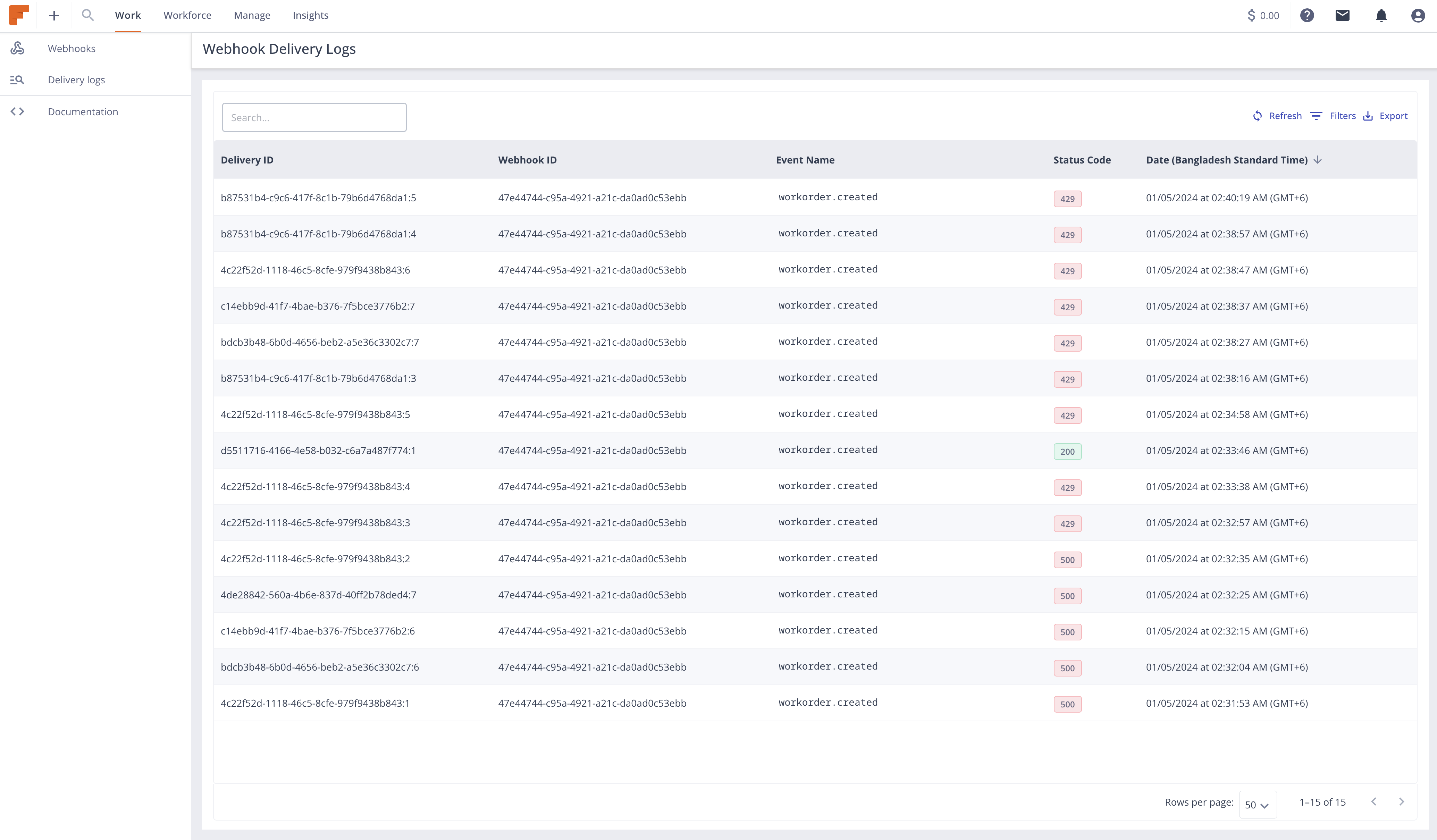
The Webhook Delivery Logs List Page provides a comprehensive overview of all webhook deliveries made by the system. It offers detailed insights into the status of each delivery, including successful deliveries, failures, and any relevant error messages. This documentation aims to guide users through the functionality and usage of this page.
Accessing the Webhook Delivery Logs List Page
Users can access the Webhook Delivery Logs List Page from the webhook dashboard at Integrations > Webhooks V3 > Delivery Logs.
Components of the Page
- Search and Filter Options: Users can search for specific webhook deliveries using the search box. Values that can be searched and filtered are
Delivery ID,Webhook ID,Event Name,Status Code. - Refresh: This button helps to quickly load new delivery logs without reloading the full page.
- Delivery Log Entries: The main section of the page displays a list of webhook delivery log entries. Each log entry provides detailed information about a single webhook delivery attempt, including:
- Event Name: Field Nation Platform Event that triggered the webhook delivery.
- HTTP Status Code: The HTTP status code returned by the endpoint.
- Date (Relative to viewers browser timezone): The date and time when the delivery was attempted.
- Pagination: If there are a large number of delivery logs, pagination controls allow users to navigate through multiple pages of log entries.
Interacting with Log Entries
- View Details: Users can click on a log entry to view additional details such as the payload sent, headers, and any other relevant metadata associated with the delivery attempt. The details view of the request and response JSON is collapsible for better reading and data can be copied from the JSON view.
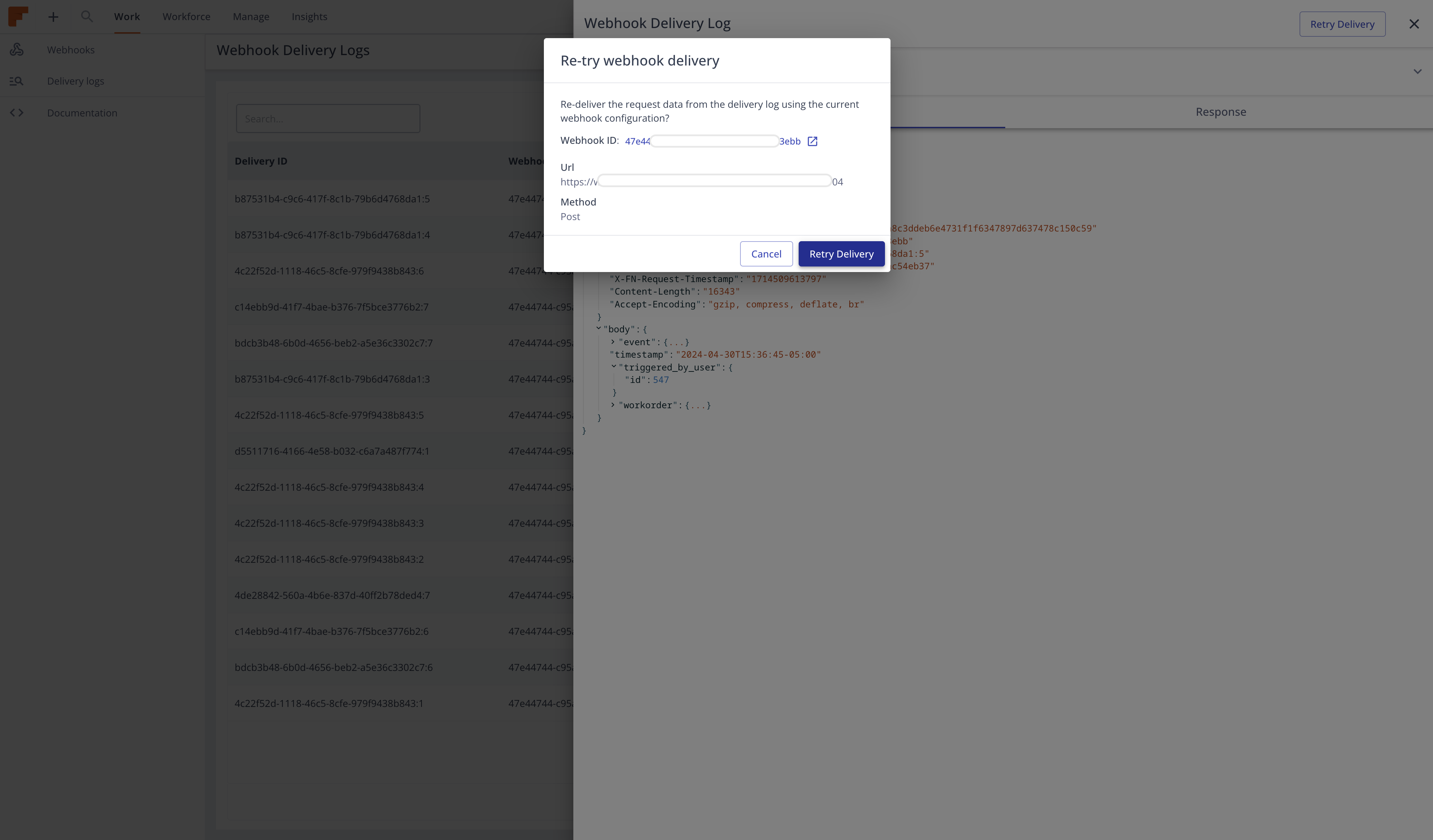
- Retry Delivery: If the webhook is still active, users have the option to manually trigger a retry of the delivery directly from the log entry details view. This will enqueue a new delivery of the same payload.
info
When retrying from the delivery log, the current webhook configuration will be used meaning URL, Method, Secret etc. can be different from the original event if they are already changed.