Webhook Change Logs
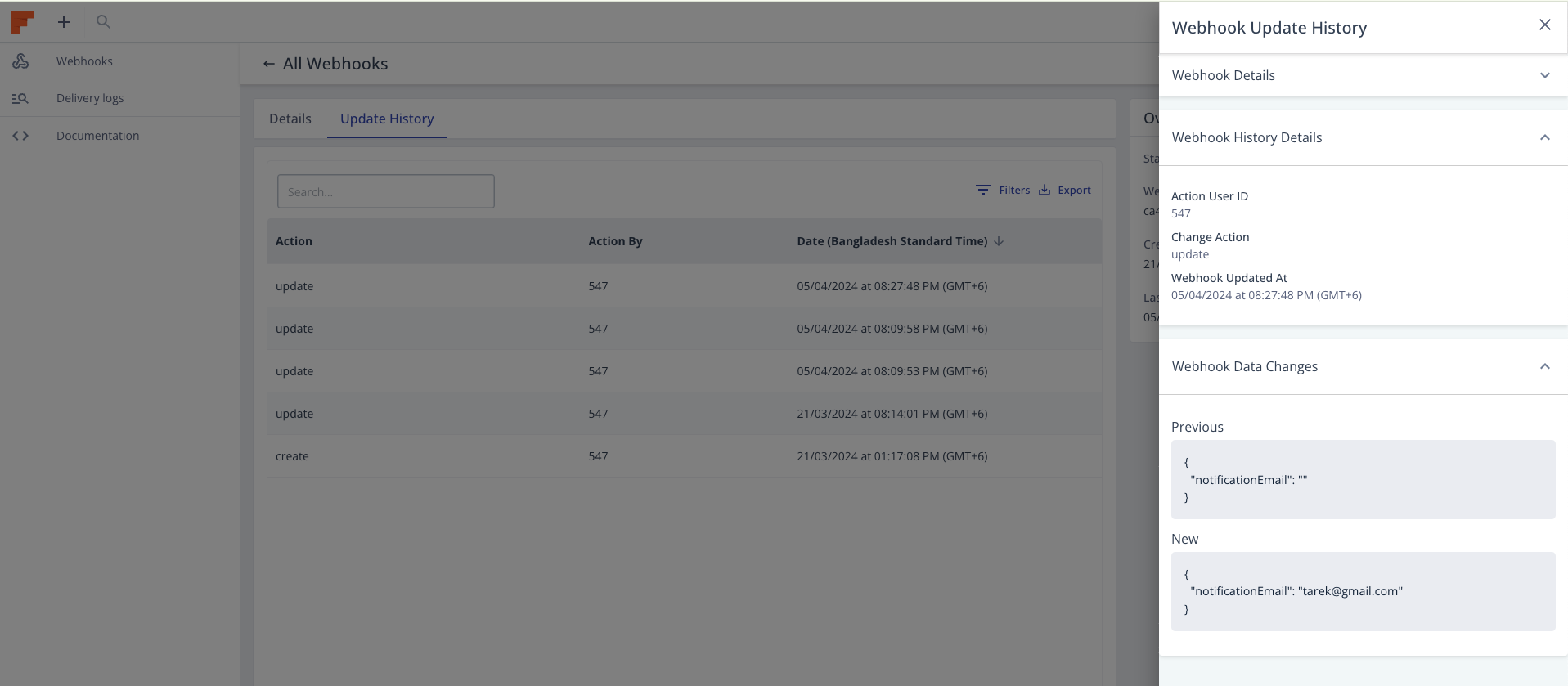
The webhook update history listing provides you with valuable insights into the changes made to your webhook data over time. This feature allows you to track modifications and understand the evolution of your webhook configurations. Here's how you can leverage this tool for troubleshooting and assistance.
Accessing the Log History
- Navigate to the details page of the webhook from Integrations > Webhooks V3. listing.
- Look for the "Update History" tab or section. Click on it to view the updated history listing.
Understanding the Log History
- The webhook update history listing displays a chronological record of changes made to the webhook data.
- Each entry in the listing includes details such as the change action and time of the update, the user who made the change, and a description of the modification.
Identifying Changes and Comparing Versions
- Click on the update history record to see more details that help you to identify recent modifications that may be relevant to the troubleshooting or assistance you require.
- Then pay attention to changes in webhook settings, configurations, or data values.
- If needed, you can review data values in the update history sidebar drawer by comparing different versions of the webhook data. The update changes section of the drawer shows you previous and new webhook data values.